Last 30 days

Looking good.
Latest Apple reports
Downloads
47 downloads
Perch
Download
Sales, downloads, refunds, reviews, chart ranks. In your Mac menu bar and on your iPhone.
Latest Apple reports
For the quick check-in between builds, support replies and shipping the next update.
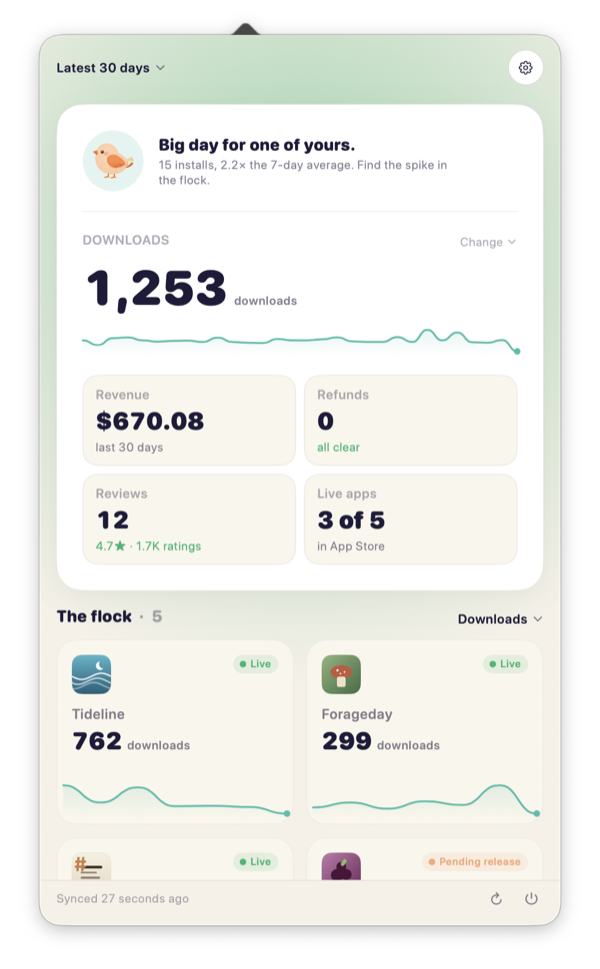
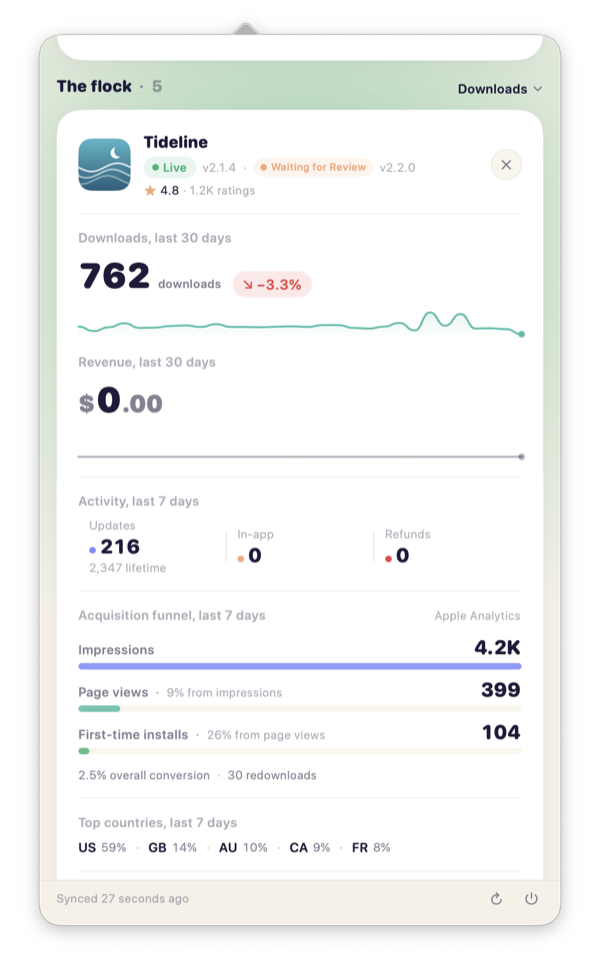
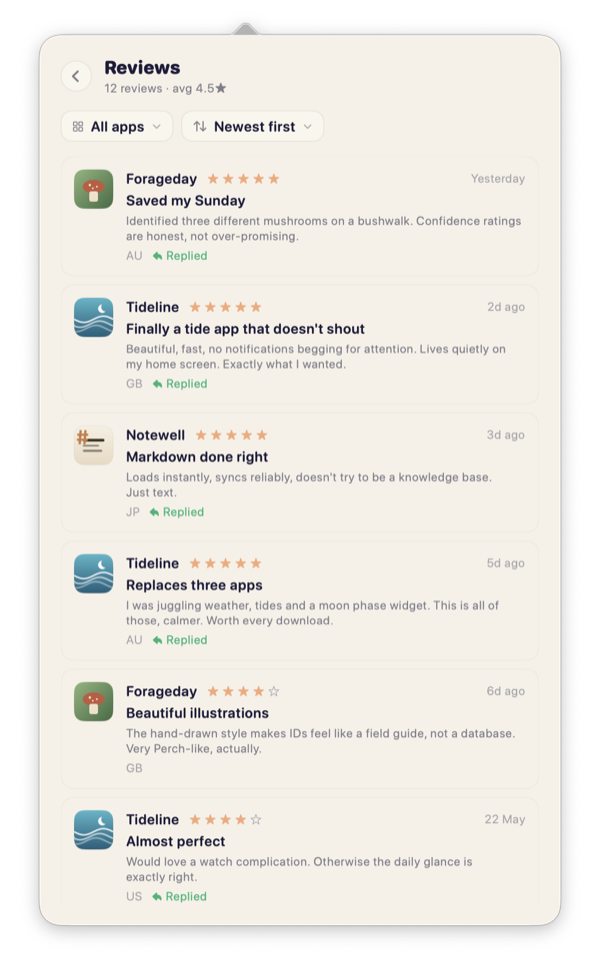
Your numbers and your reviews, answered and translated right in Perch, plus a nudge when something moves. All without opening App Store Connect.
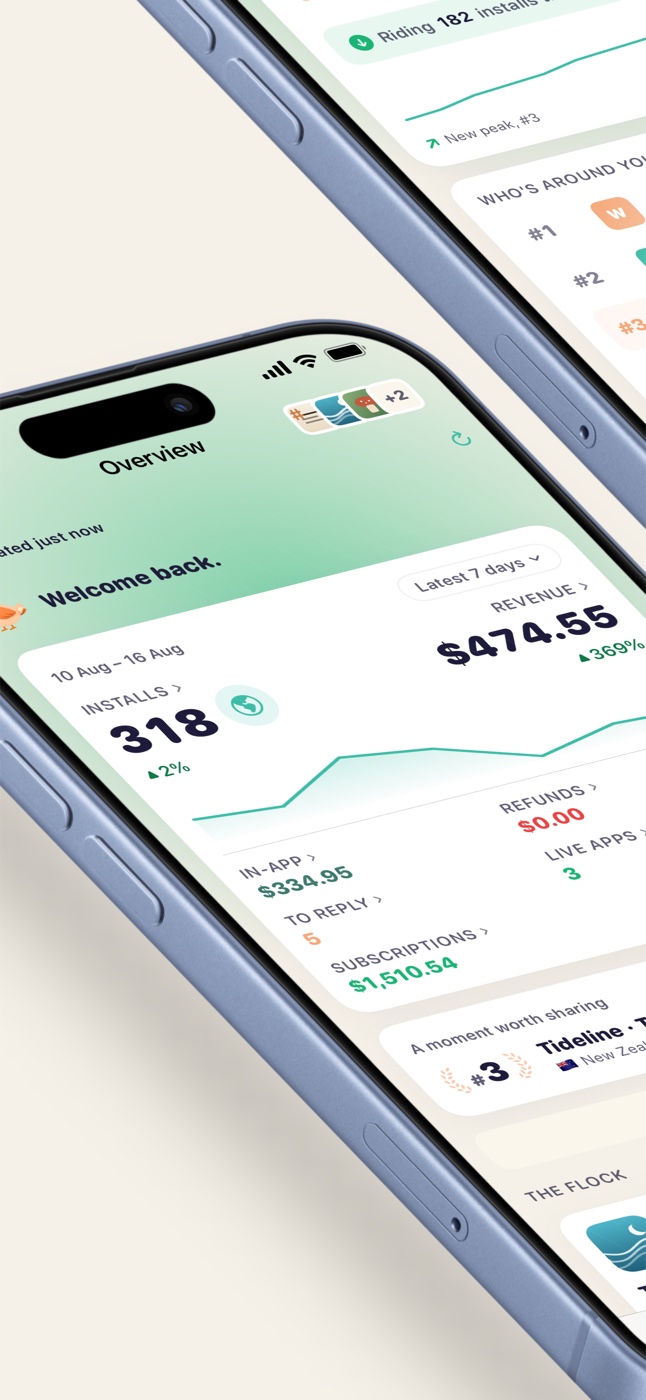
Downloads, revenue, refunds and ratings from Apple's latest report, plus the impressions behind them. Scope to any range, drill into any app or country and see what's live, in review or waiting.
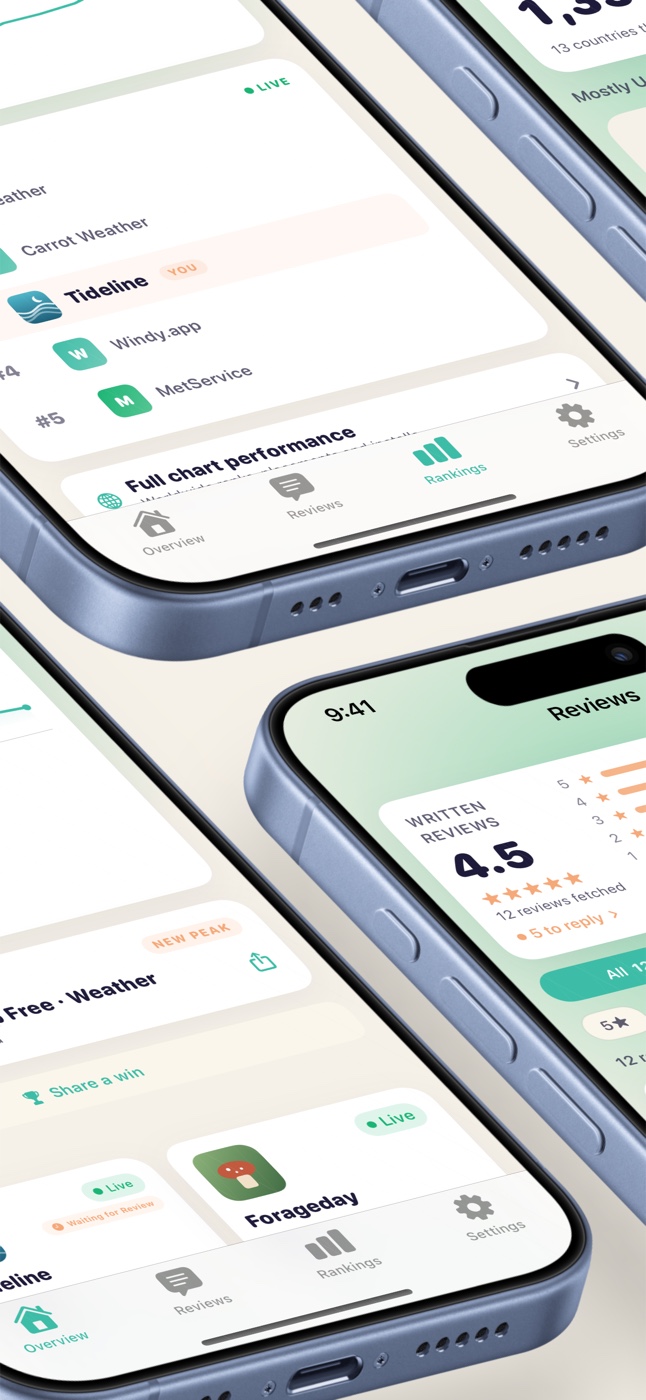
Chart position for each app in every storefront and category, the peak it's hit, and the apps ranked just above and below you. A quiet nudge the moment you crack a new high.
Show today's downloads or revenue right beside the bird, so you know how the day is going without opening anything.
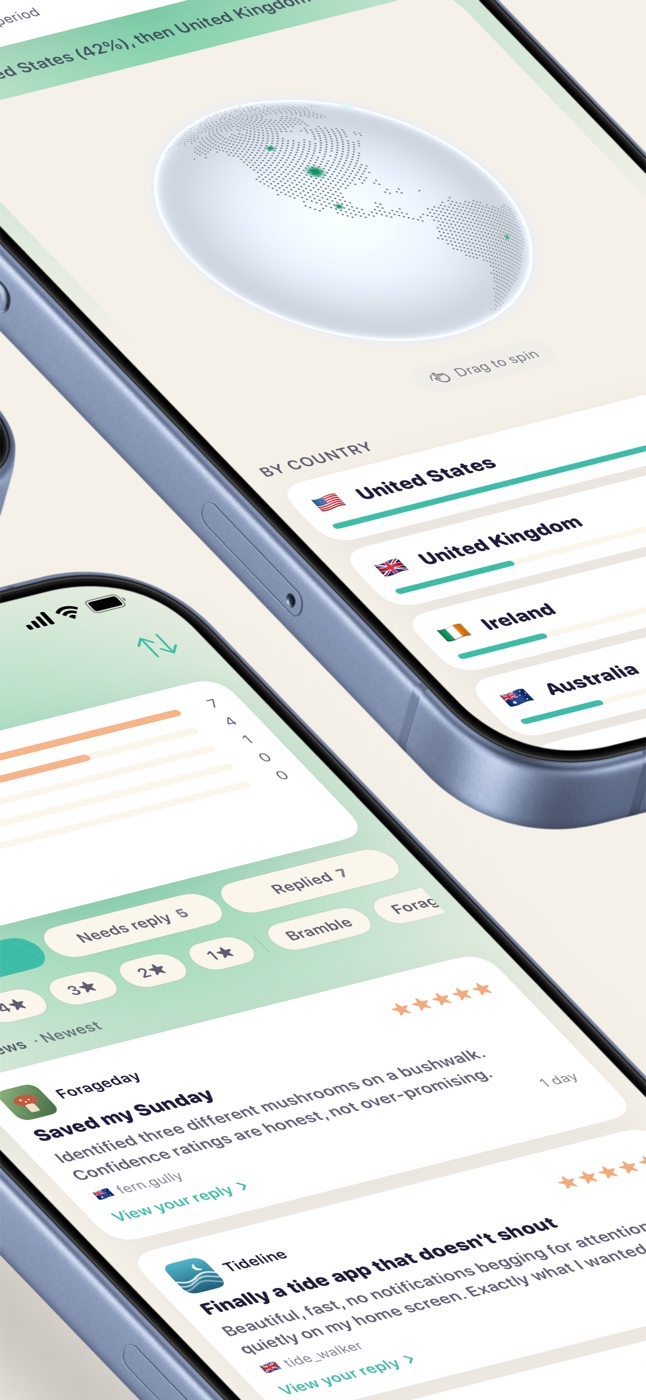
New reviews surface with the full text and rating. Reply without leaving Perch, and translate the ones in languages you don't read, on device and free.
Switch on a daily summary and Perch brings each day's downloads and proceeds the moment Apple's report lands, dated so you know which day it covers. There's still the Monday recap and a quiet ping when an app crosses a milestone. All optional.
A slow-turning globe of where your installs come from, country by country, with new markets lit up as they arrive.
And a little more under the wing
Connect Perch to your App Store Connect account and you're set.
App Store Connect, Users and Access, Integrations. Create a key with Sales access. Apple gives you an Issuer ID, a Key ID, and a .p8 file.
Open Perch settings. Drop in the identifiers and the .p8 file. Everything's stored in your Mac's Keychain.
Perch fetches your apps, sales, reviews and status, then settles into your menu bar and gets to work.
Perch talks directly to App Store Connect. Your sales, reviews and credentials are never sent to a Perch server. When you run both apps, they sync through your own iCloud, not through us.
Perch requests your App Store Connect data directly from your device. There is no Perch backend sitting between you and Apple.
Your App Store Connect key is stored in the system Keychain, encrypted by the device. Perch never logs it, exports it or sends it to us.
Perch does not track how you use the app. Your taps, sessions, monitored apps, and dashboard activity are not sent to us.
App Store Connect is where the data lives. Perch is for the quick daily check: downloads, revenue, refunds, reviews and app status, right from your Mac menu bar or your iPhone.
Yes. Perch shows all your apps in one place, so you can sort them by downloads, revenue, refunds, reviews or release status.
Perch is $4.99 on the App Store. One purchase covers the Mac app and the iPhone app. Pay once, keep it forever. No subscription.
No. Perch needs an App Store Connect API key so it can read your sales, reviews, and app data from Apple. The setup guide walks you through it.
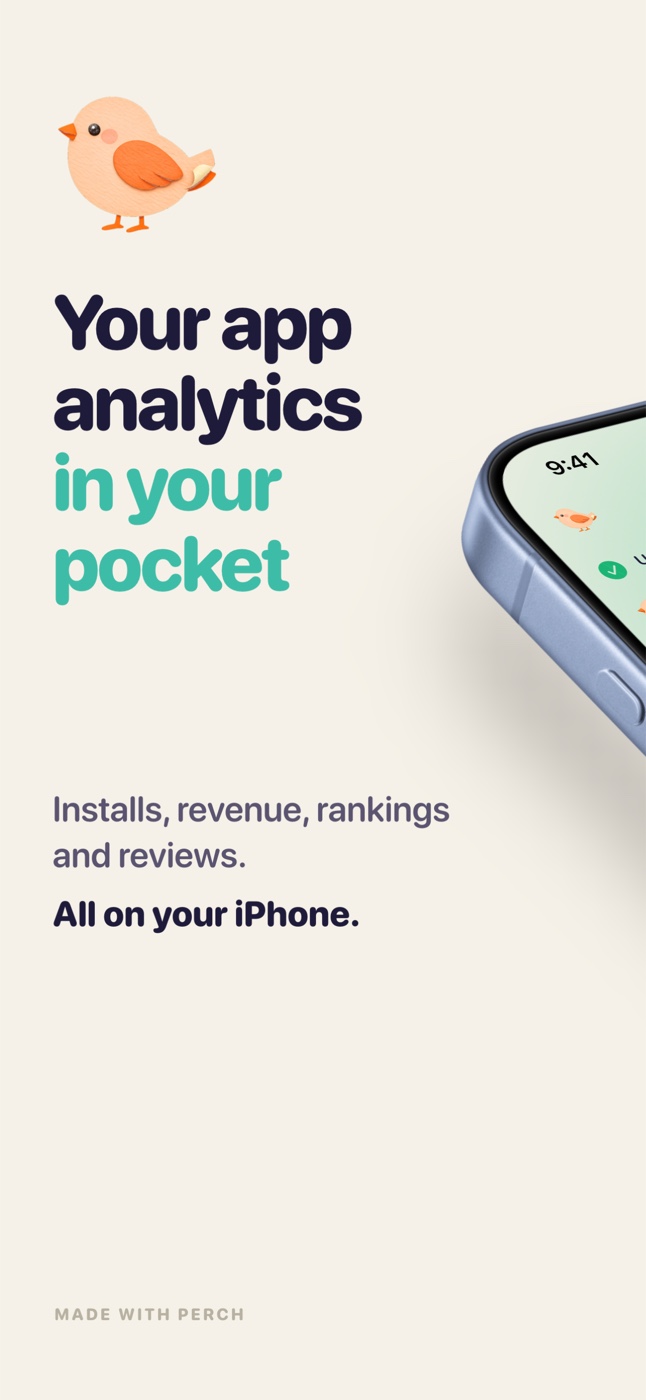
The same numbers on the go. Installs, revenue, reviews and chart ranks in your hand, synced from your Mac through your own iCloud, or pulled straight from Apple if you never open a Mac at all.
On iPhone too, included in your one-time purchase.
$4.99 · One-time purchase. No subscription.